Notifications and alerts
What the portal tells you about, how to filter the list, and how to stop it becoming noise.
1 min readReviewed 17 September 2026
What raises a notification
The portal tells you when something has happened that you are expected to act on:
- a document is uploaded or assigned to you,
- a document’s status changes,
- a signature is requested from you, or a signer signs,
- a message arrives.
The notifications screen
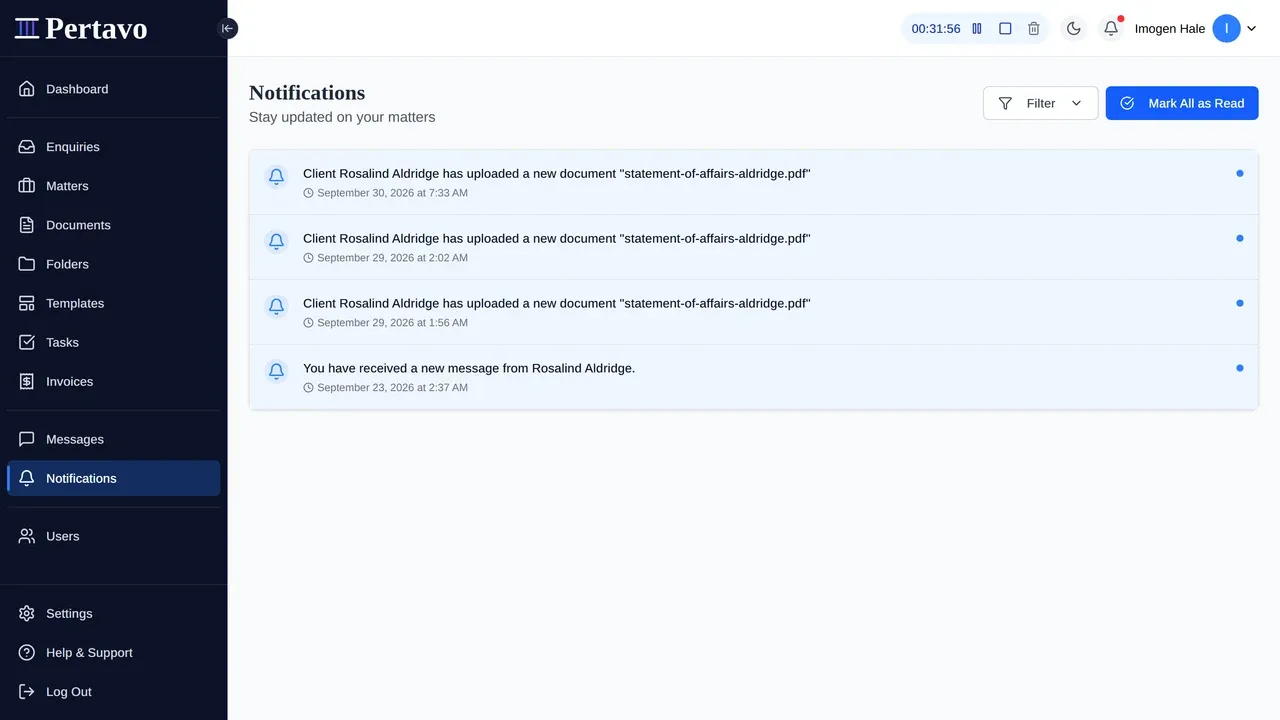
Notifications lists everything, newest first, with filters worth knowing:
- Status — Read or Unread.
- Type — Document or Message. (The filter also lists Task; nothing in the product raises one, so that option returns an empty list.)
- Date Range — Today, This Week, This Month or All Time.
Mark All as Read clears the badge in one press. Use it deliberately rather than reflexively — it is the fastest way to walk past something you meant to deal with.
A working habit
Filter to Unread and Document, deal with what is there, then look at messages separately. Notifications read as one undifferentiated stream are notifications nobody reads.
Turning things down
Not with preferences — there are none. Nobody can choose which events reach them, and the only email control is a single firm-wide switch an admin holds, which silences everything for everybody including signature requests. See Notification preferences before reaching for it.
Inside the portal the filters above are the volume control: work from Unread, narrow by type, and use Mark All as Read deliberately. Beyond that, the real lever is assignment — people are told about what is theirs, so assigning less to somebody is what actually quietens their list.
This did not answer it?
Sign in and write to us from Help & Support inside the portal — a message from there arrives with your firm and your account already attached, so nobody has to ask you which is which.
Sign in to Pertavo