For CPA firms
Built for one job, done properly
Your clients’ tax documents,
out of email.
Pertavo is one secure portal where your firm collects documents, messages clients, assigns the work, and collects signatures on the PDF itself — without a single attachment leaving your inbox.
- Unlimited e-signatures
- Two-factor authentication
- No card to start
From $29 a month, per firmCompare plans
01The product
Everything for a client,
on one screen.
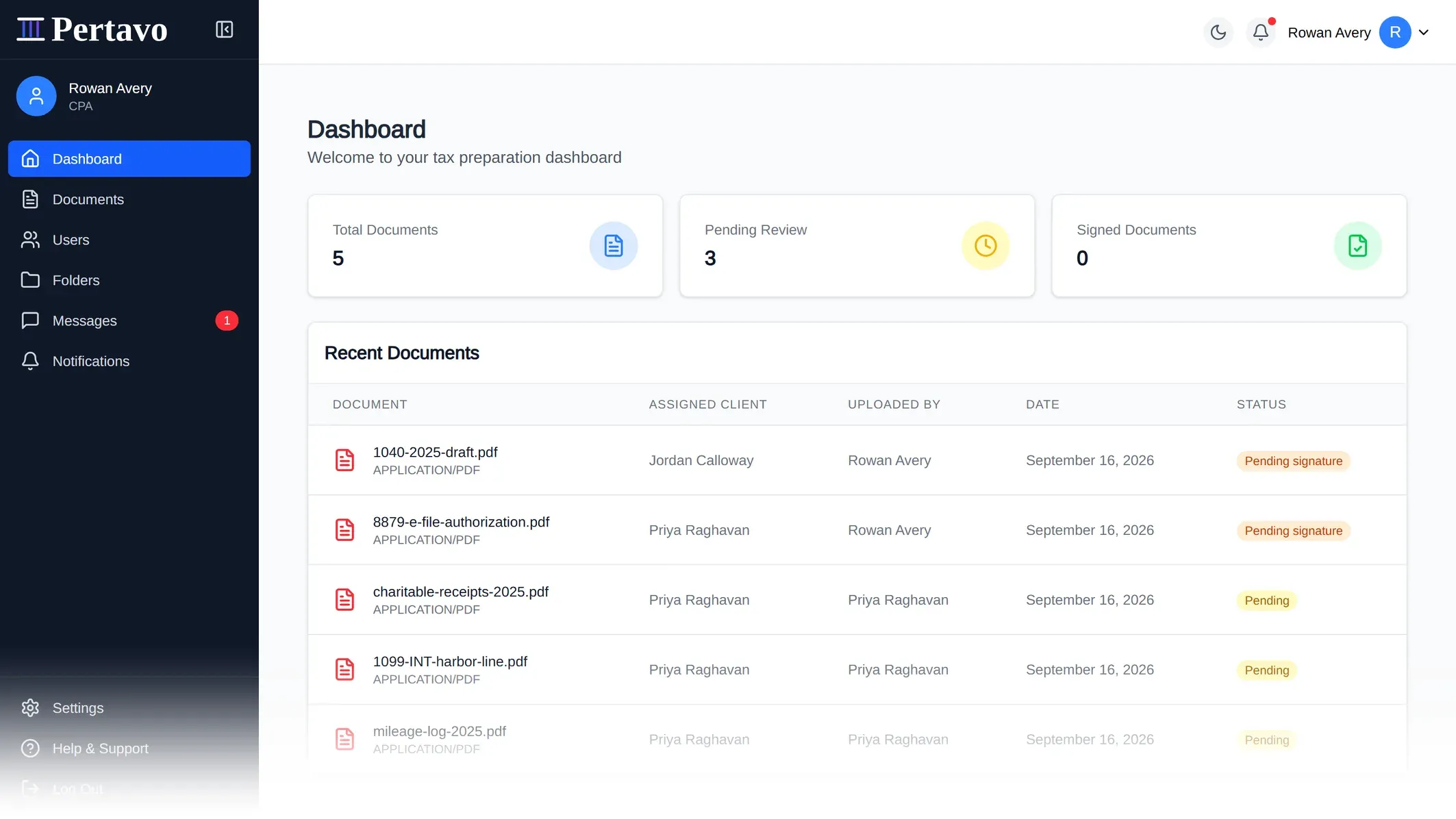
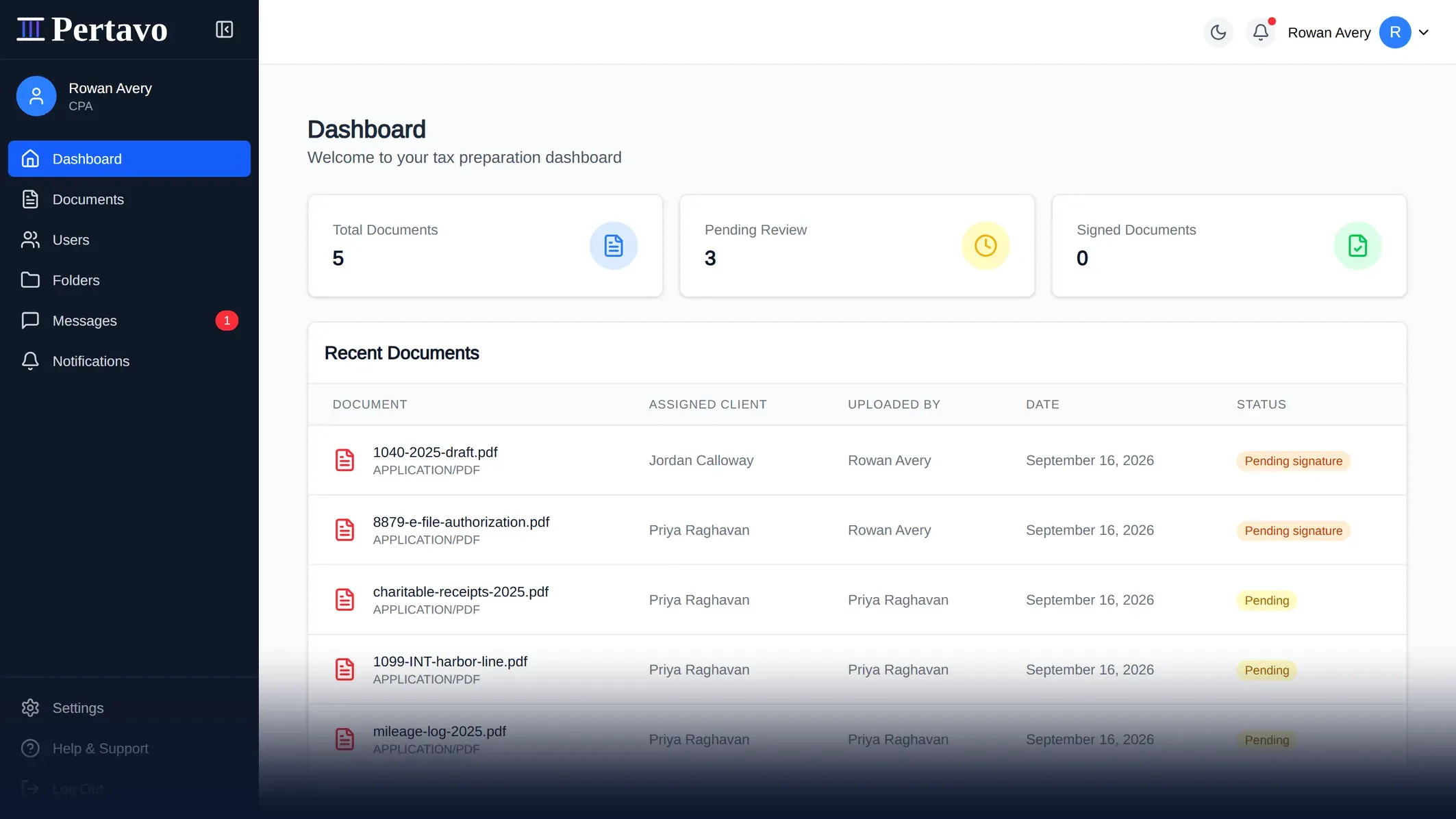
What is in, what is waiting on a signature, and what your client just sent — without opening a mail client.
02Why bother
Still running tax season
out of an inbox?
Four things that go wrong every February.
On email
Documents lost in a thread
A W-2 three replies down, a corrected 1099 further up, and no way to tell which is current.
On Pertavo
A folder per client
One place per client, and the newest file is the one in it.
On email
Chasing what is missing
Re-reading the thread to work out what has arrived, then writing another reminder.
On Pertavo
What is outstanding, at a glance
Received, under review, or waiting on a signature — per client.
On email
Tax records sitting in inboxes
Every attachment lives in two mailboxes, on whatever devices those are open on.
On Pertavo
Files that never leave the portal
No public URL to guess, and every read is re-checked.
On email
Print, sign, scan, return
The signature is the slowest part of the job, and it is the part that needs a printer.
On Pertavo
Signed in the browser
Place the fields, send it, get the signed PDF back.
03What it does
Six things,
done properly.
No integrations marketplace, no AI assistant, no mobile app.
Documents and folders
Nested folders per client, with sharing and permissions set on the folder rather than file by file.
Sign in the browser
Place the fields, send it, and the client signs three ways — draw, type, or upload. The signature is written into the PDF itself.
Messaging that stays put
Threads with attachments, tied to the client rather than scattered across inboxes. Delivered live, not on refresh.
Tasks and assignments
Assign work, attach the documents it depends on, and track it through to completion.
Invite clients by link
Send an invitation; they set their own password and need nothing installed. Links expire on their own, and can be resent.
Told when it moves
Uploads, assignments and status changes reach the right person as they happen, not on the next refresh.
04How it works
One season,
three moves.
The portal imposes this order, so nothing arrives before there is a folder to put it in.
Invite your clients
Send an invitation from the portal. Your client sets their own password and lands in your firm’s workspace — no account for them to hunt for.
They upload, you organise
Documents arrive in the folders you laid out, not as attachments in a thread. Ask for what is missing without leaving the file.
Review, sign, deliver
Mark up the PDF in the browser, place the signature fields, and collect the signature. The signed file goes back where it came from.
Nothing to install, either end.
05The screens
Seven screens,
no mockups.
Captures from the running app. Open any one to read it full size.
01/07
06On a phone
No app, and
nothing missing.
Your client does their half in the browser they already have, and you can look in from yours. Captures from the running app.
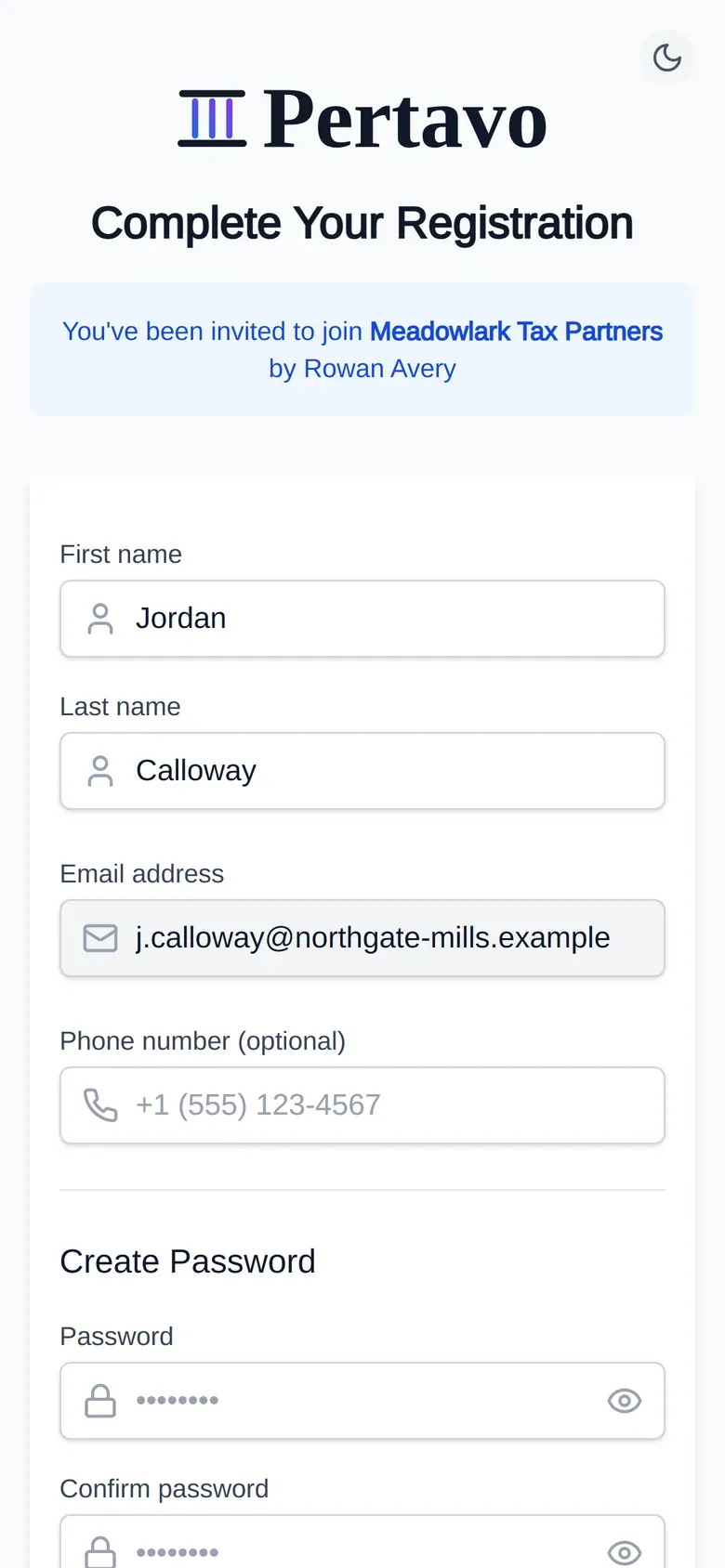
The invitation
What your client sees first. Their name and your firm already filled in.
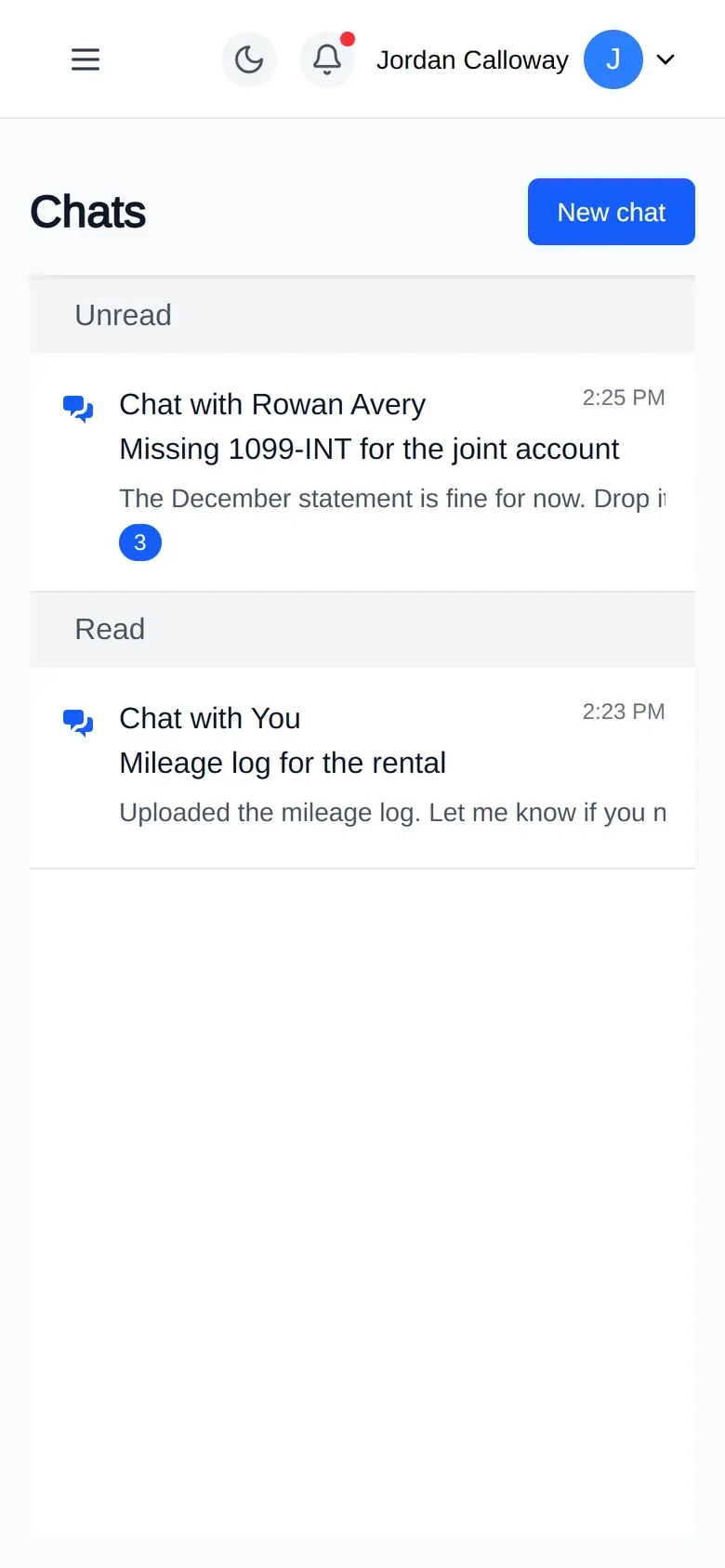
Asking a question
Threads tied to the client, not scattered across two mailboxes.
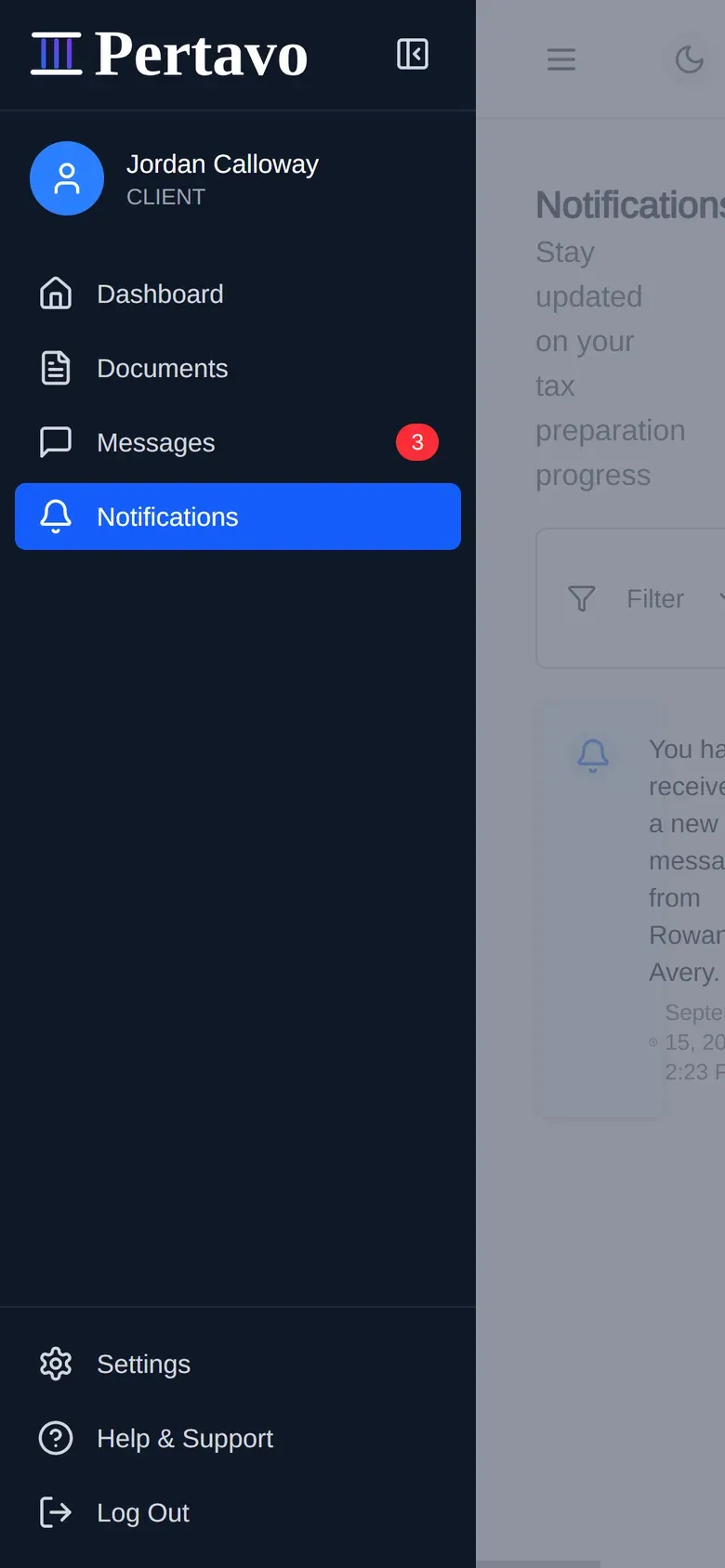
What a client reaches
Four things. The menu is short because the role is.
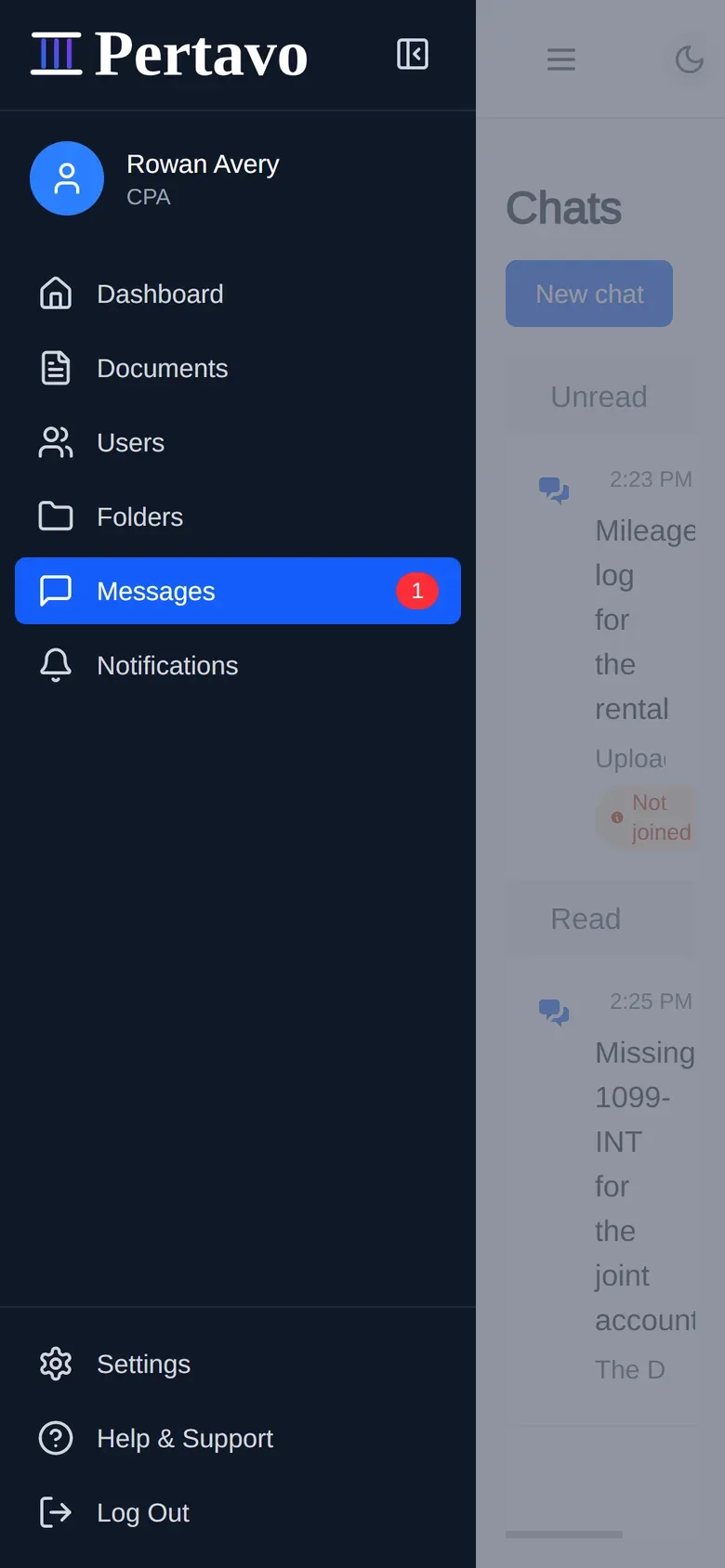
What you reach
Six. Which role sees what is settled on our side, never by the screen it is opened on.
Ten screens driven at 390 pixels, nothing running off the right edge. Placing signature fields and reviewing a return is still desk work.
07Security
What we can
actually claim.
Six things the software does, each one you can hold us to.
Files are never public
A document link is useless to anyone outside your firm. Every time a file is opened we check who is asking, and which firm they belong to, before sending any of it.
One firm cannot reach another
Another firm’s files are not hidden from you — they are never fetched at all. Every request is narrowed to your own firm before it reaches the database.
A code as well as a password
Turn it on and signing in takes a code from your phone as well as your password. Lose the phone and single-use backup codes get you back in.
Signed in, but not forever
The key your browser signs in with expires within the hour and is renewed quietly in the background. A copy taken off a machine stops working on its own.
What each person can do is fixed
Admin, CPA and client are separate roles, recorded per firm. What each one may do is decided on our side — not by what the screen happens to show them.
Invitations that die quickly
A client invitation works once and expires within a day. Unused ones are cleared on a schedule, and an expired link is refused even if someone finds it later.
What we do not claim
None of these has been done. When one is, it will appear on this line with its date and its auditor.
| Certification | Date | Auditor |
|---|---|---|
| SOC 2 or ISO 27001 certification | None | None |
| A GDPR or CCPA attestation | None | None |
| Independent penetration testing | None | None |
08Pricing
Priced per firm,
not per signature.
Every plan includes unlimited e-signatures. What changes is how many clients and how much storage the practice needs.
Starter
$29per month
Perfect for small practices just getting started
- Clients
- 25
- Documents
- 500
- Storage
- 1 GB
- Included: Client management
- Included: Document storage
- Included: Basic Communication
- Included: Digital signatures
- Included: Basic Reports
- Included: Email Support
Professional
Popular$59per month
Ideal for growing practices with more clients
- Clients
- 100
- Documents
- 2,500
- Storage
- 5 GB
- Included: Client management
- Included: Document storage
- Included: Advanced Communication
- Included: Digital signatures
- Included: Advanced Reports
- Included: Priority Support
Enterprise
$99per month
For large practices with extensive needs
- Clients
- Unlimited
- Documents
- Unlimited
- Storage
- Unlimited
- Included: Client management
- Included: Document storage
- Included: Premium Communication
- Included: Digital signatures
- Included: Custom Reports
- Included: Dedicated Support
Yearly billing charges ten months up front — the same plan, 2 months free.
09FAQ
Before you
sign up.
Still not answered?
Ask before you commit a season to it. The two-minute tour is one click away, and the pricing is on this page rather than behind a call.
Do my clients need to buy anything?
No. You subscribe as a firm and invite your clients in; they create a password from the invitation link and use the portal at no cost. Plan limits count clients, not seats you pay for separately.
What file types can be uploaded?
PDF, DOCX, XLSX, JPG, JPEG, PNG, TXT and CSV. Your firm can narrow that list, and sets the maximum file size, in its own settings — so the ceiling is yours to decide rather than ours.
Can I really sign a PDF in the browser?
Yes. Open the document, place the signature fields where they belong, and send it. Signatures are written into the PDF itself, so the signed file is a normal PDF that opens anywhere.
Who can see a document once it is uploaded?
The firm it belongs to, and the client it concerns. Permissions are set on the folder, and every request to read a file re-checks your membership of that organisation before returning it.
Is there two-factor authentication?
Yes — time-based codes from any authenticator app, with single-use backup codes. Each person turns it on for their own account.
What are the three user roles?
Admin has full access, CPA manages clients and their documents, and client uploads and views what has been shared with them. Roles are recorded per organisation, so someone can belong to more than one firm.
What happens when I outgrow a plan?
Move up a plan. Starter covers 25 clients and 1 GB, Professional 100 clients and 5 GB, and Enterprise removes the limits. E-signatures are unlimited on all three.
How does yearly billing work?
A year is charged as ten months up front — the same plan, two months free. Nothing else about it differs from monthly.
Get started
Set it up before the
next return lands.
Create your firm’s workspace, invite one client, and see the whole loop — upload to signed PDF — in an afternoon.